Help center · Texting
Texting sellers
Text sellers from your iPhone or Chrome, with their record right in the thread.
Every text thread shows the seller's name and record, so you always know who you're talking to.
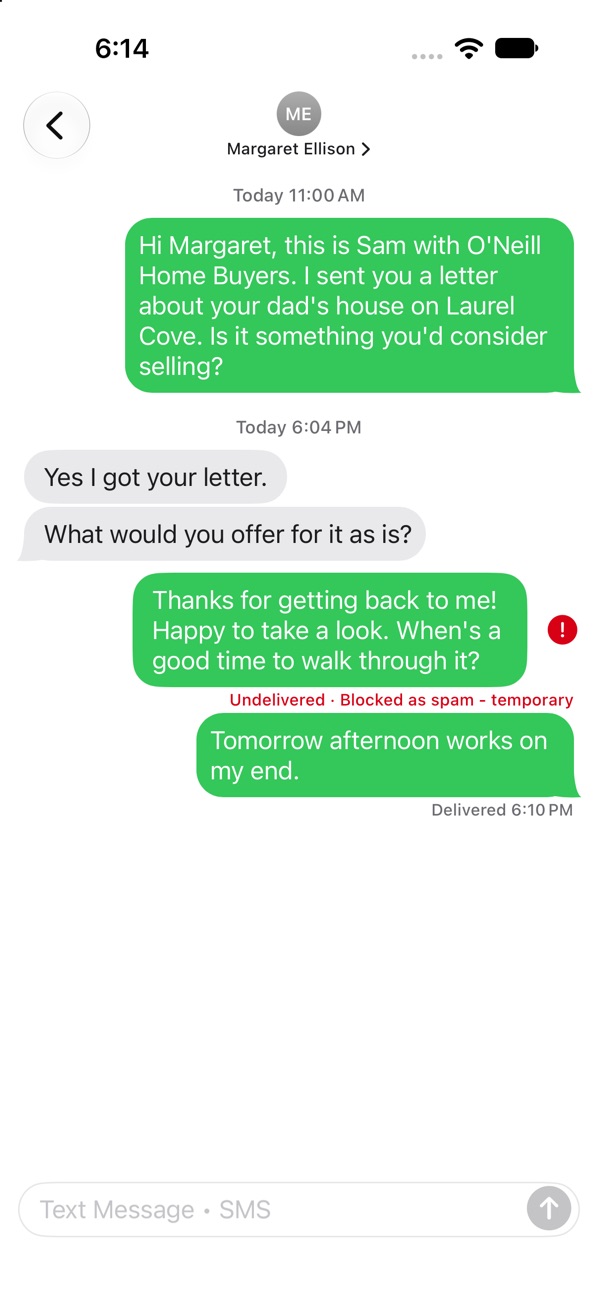
Send a text
- From a lead: tap Text on the lead's screen, or the blue bubble next to a mobile number.
- From Messages: tap the pencil, type the number, and write your text.
Reply
Open Messages, tap the thread and type. New texts pop a notification on your iPhone and in Chrome.
Good to know
- Your numbers need their texting registration approved by the carriers before texts go out. Our team handles that with you.
- Someone who texts STOP is marked opted out, shown in red, and never texted again.
- Landlines can't get texts, so the text button only shows on numbers that can take one.
Still stuck?
Ask the help chat in your dashboard, or reach our team and we'll sort it out.