Help center · Leads
Lead Management
Work every lead that's due today, folder by folder, with the whole record on one screen.
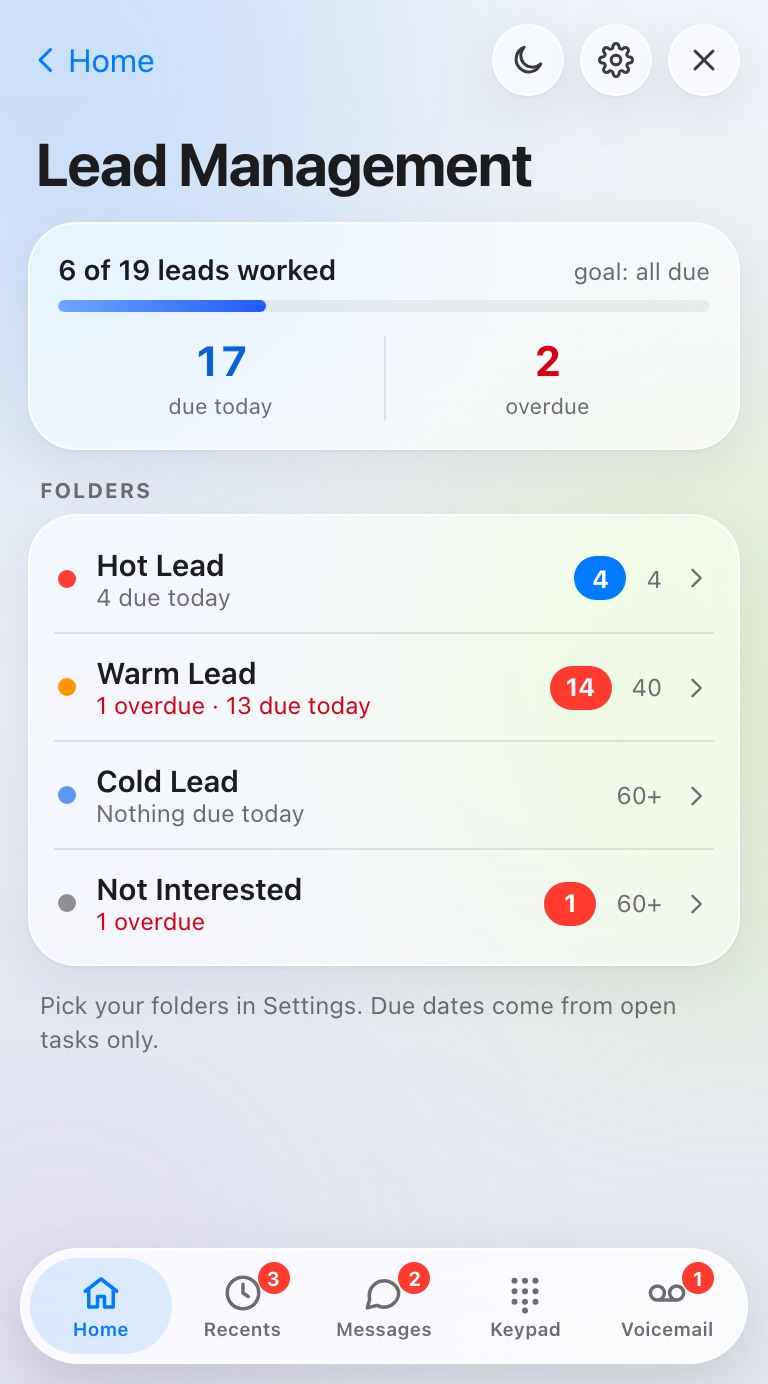
Lead Management is where you follow up. Each folder is one of your CRM's lead statuses, like Hot Lead or Warm Lead.
Work your leads
- Open Lead Management. Each folder shows what's due today and what's overdue.
- Tap a folder, then a lead.
- The lead screen has everything: Text and Call buttons, every number with its bars, open tasks and the latest notes.
- Tap the blue DataSift square to open the record in DataSift.
Pick your folders
- Open Settings, then Lead Management folders.
- Turn on the statuses you want as folders.
They show up on the iPhone and in Chrome.
Still stuck?
Ask the help chat in your dashboard, or reach our team and we'll sort it out.